For administrators
Run a second 360
See whether each leader has changed: start the next 360 for one leader or many.
One 360 tells a leader where they stand. The next one tells them whether anything changed.
Start it
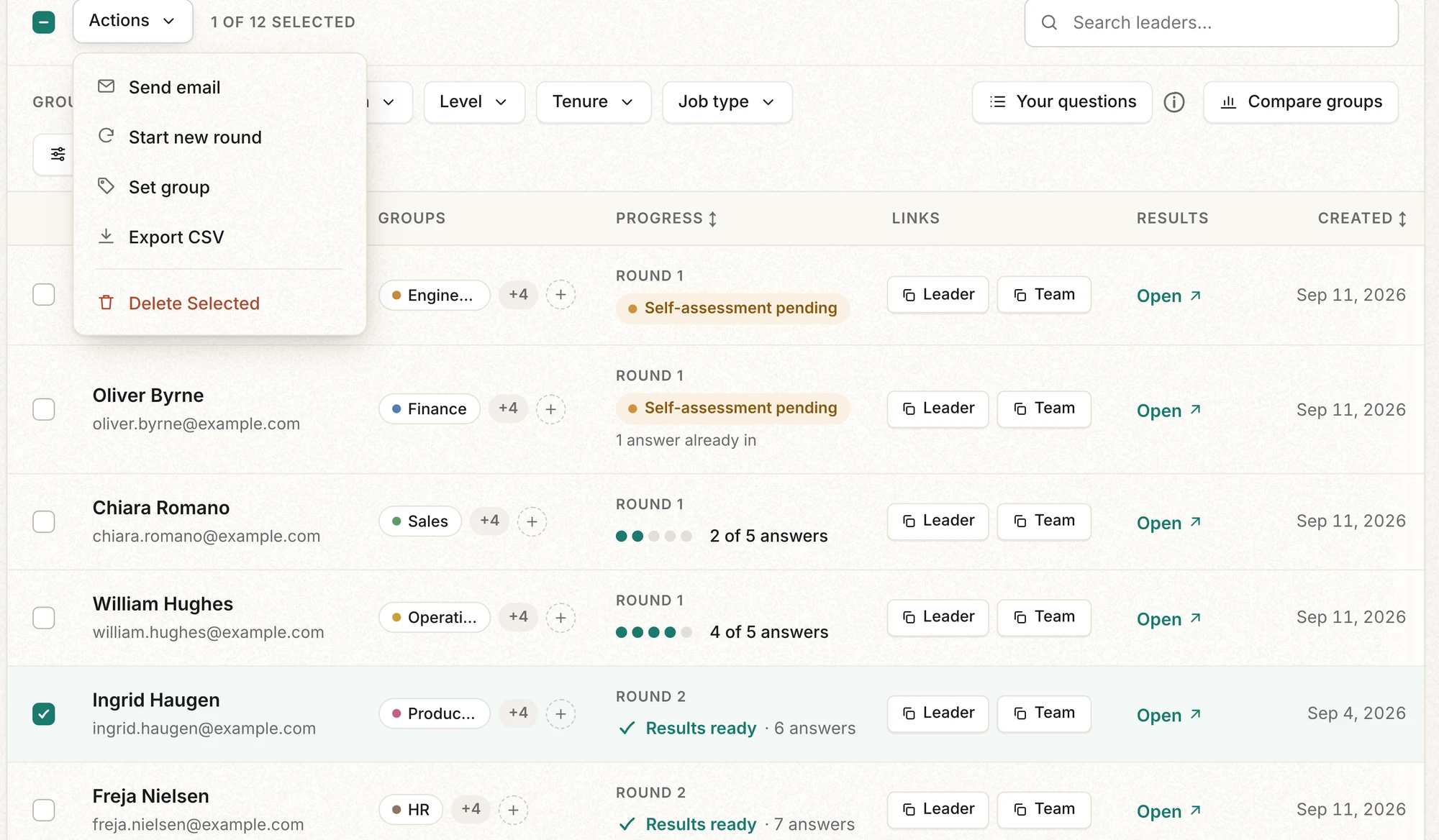
- Tick the leaders who should start again. You can start one leader or the whole list.
- Open "Actions" and choose "Start new round".
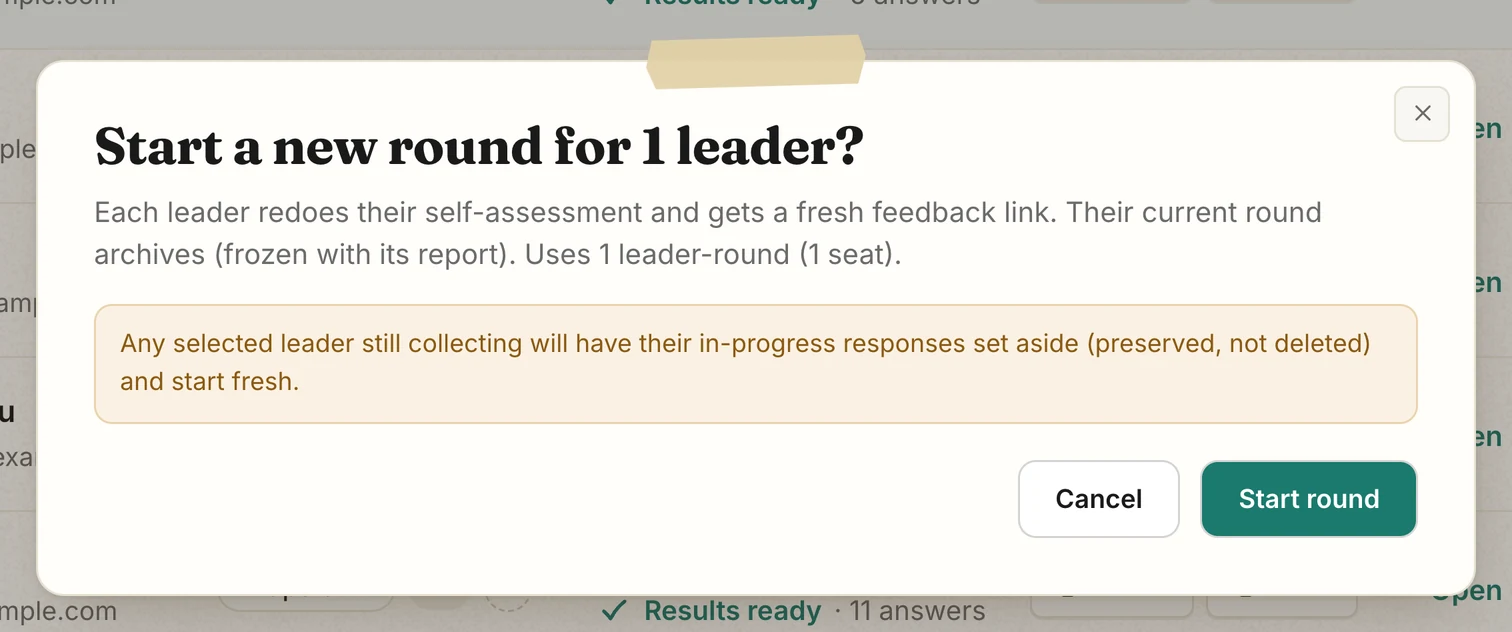
- Read the confirmation. Each leader uses one more seat. If a leader has fewer than 5 answers, their current 360 closes without results.
- Press "Start round". Each leader is emailed a new self-assessment link, and gets the new team link once they have rated themselves. The window then lists their "Self link" and "Team link" to copy.
What happens to the current 360
Starting the next 360 closes the current one. Its report and numbers stop changing, and it keeps the groups each leader was in that day. On your dashboard, "Progress" switches to "Round 2" and counts from 0.
What the leader sees
- The self-assessment comes first again, then the new team link.
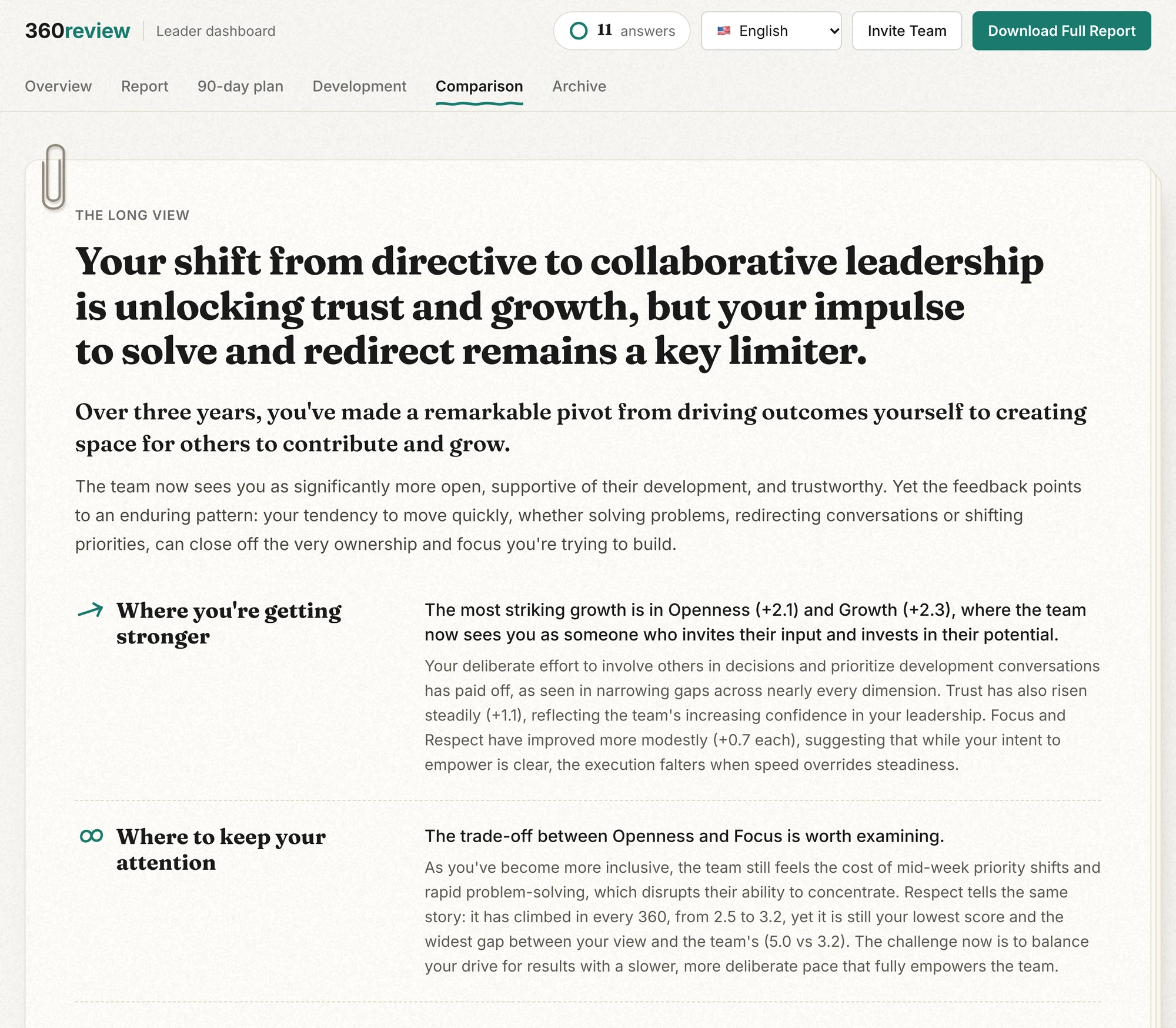
- Once 5 new answers are in, the "Comparison" tab opens: a written analysis of what got stronger, where to keep attention, how the blind spots shifted, and how the written feedback changed.
- The "Development" tab charts every 360 side by side, dimension by dimension.
- The "Archive" tab keeps each finished 360 with its own overview and report, exactly as it was.
You can open any of it with the "Open" button on the leader's row. Seats never expire, and you can add more at any time with "Buy More Seats". The leader demo shows a leader who has done five 360s.
← All guides
Up next: Read your 360 report →