For everyone
See feedback by role
See how direct reports, peers and your manager each rate you, without giving anyone away.
A leader's direct reports, peers and manager see different sides of the same person. 360review can show each of those views on its own, without ever exposing who said what. It does this with one question at the start of the form and one rule on the dashboard.
The first question on the form
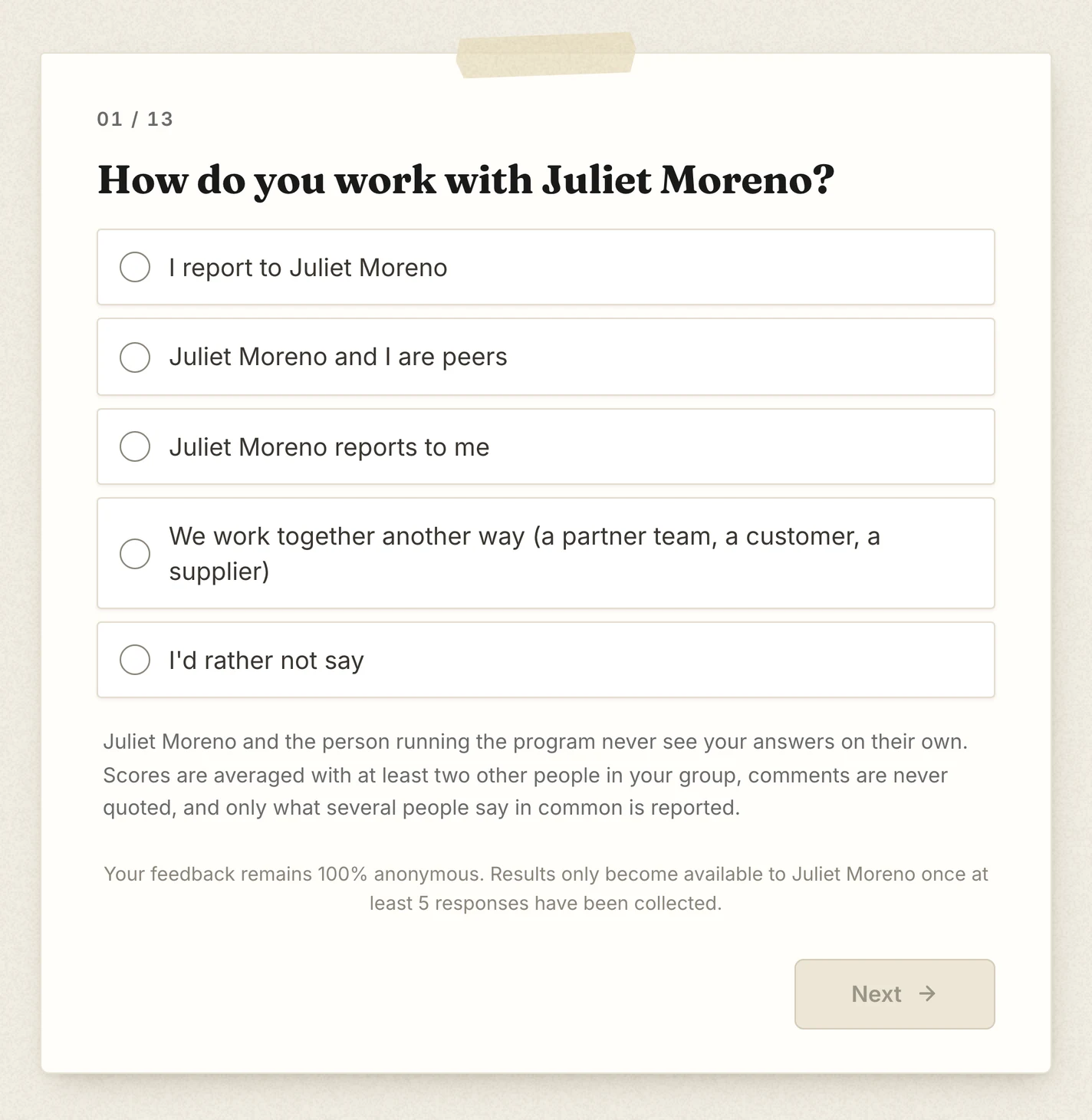
A manager who picks "Juliet Moreno reports to me" also sees a tick box. If they tick it, the leader sees the manager's scores as a group of their own, "Your manager". If not, their scores count only in "Everyone".
What the leader sees
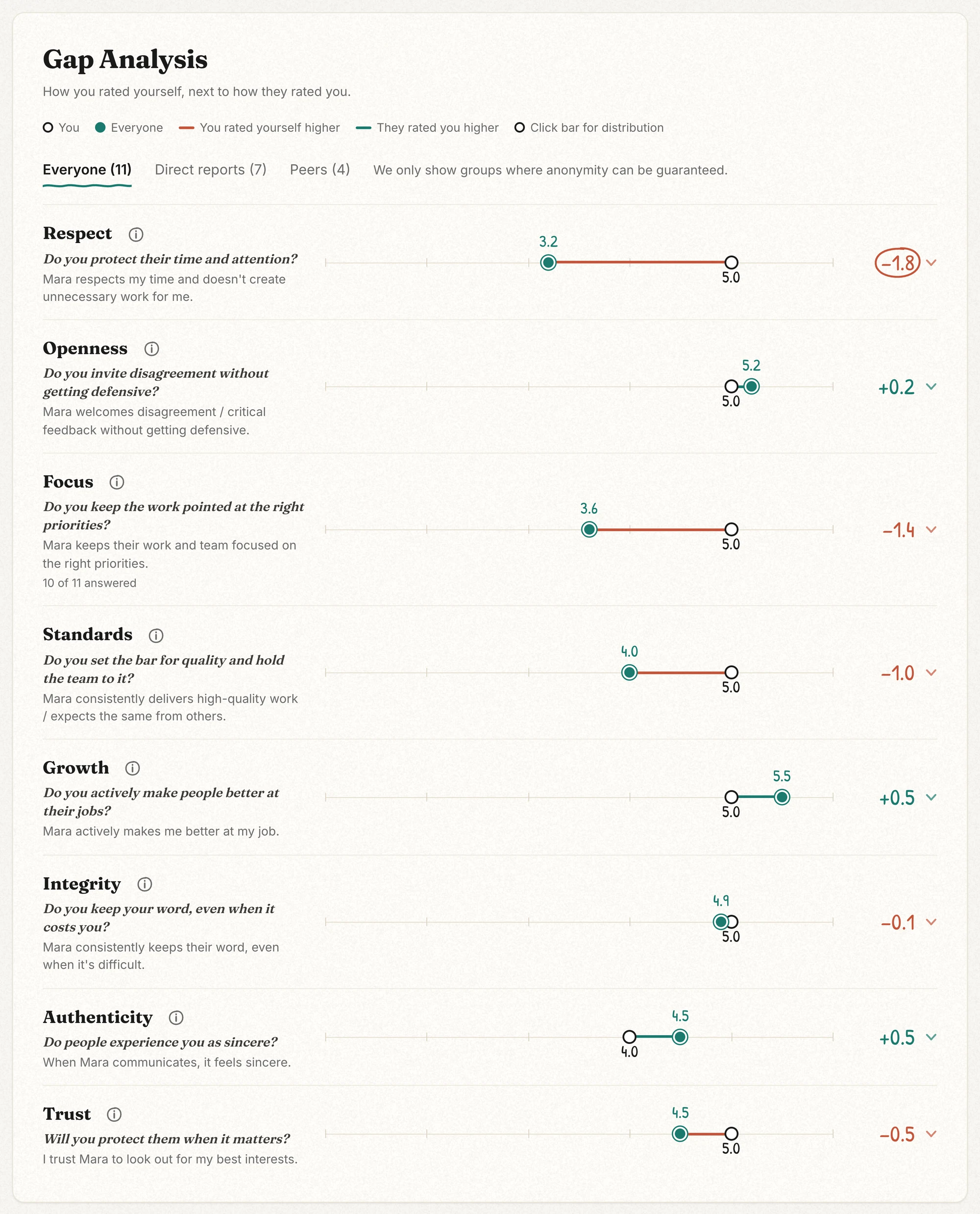
The leader sees a button for "Everyone" and one for each group that can be shown, with how many answered. Pick "Direct reports" and every dimension shows that group's average against the leader's self-rating. The same buttons appear on any questions your organization added.
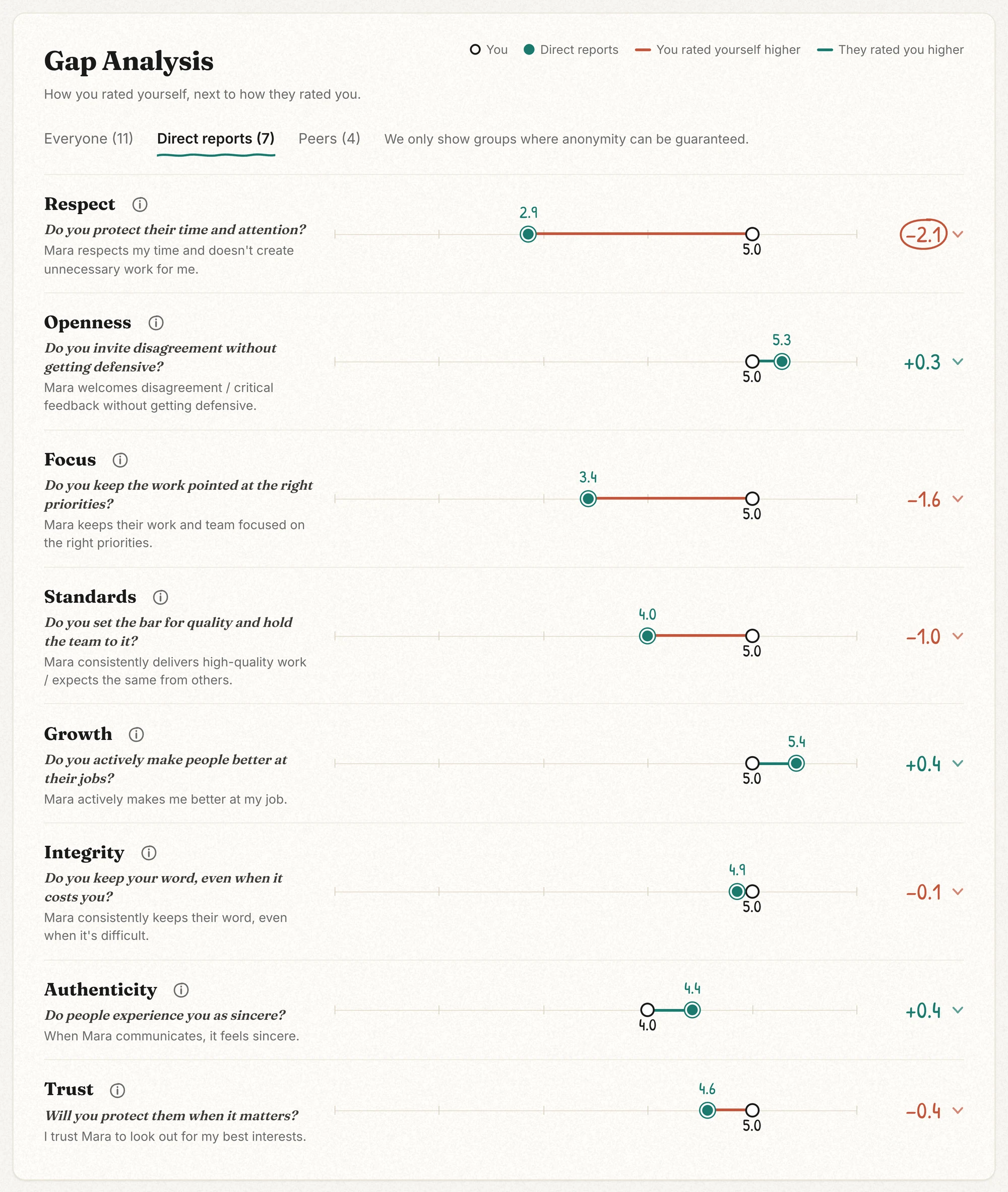
The rule that protects anonymity
- Nothing shows until 5 people have answered.
- A group is shown on its own once at least 3 people in it have answered.
- A group is also held back if showing it would expose one other person. Say 4 direct reports and 1 peer answer. Comparing the direct reports with "Everyone" would give away the peer's answers, so the direct reports are not shown.
- Each statement is checked on its own, and "Can't say" does not count. So a group can show on one statement and not on another.
- Written comments are never split by group. They are summarized across everyone who answered.
The line under the buttons reads: "We only show groups where anonymity can be guaranteed." If a leader sees only "Everyone", no group was big enough to show safely.
Getting groups that show
Ask at least 3 direct reports and at least 3 peers. More is better.
Then check the people who fit neither group: your manager (unless they tick the manager's box), 1 or 2 people from a partner team, and anyone who picks "I'd rather not say". If there is exactly 1 of them, a group stays hidden, so their answers cannot be worked out. None, or 2 or more, is fine. The easy fix is to ask your manager to tick the box.
Up next: Read your 360 report →