For administrators
Add your own questions
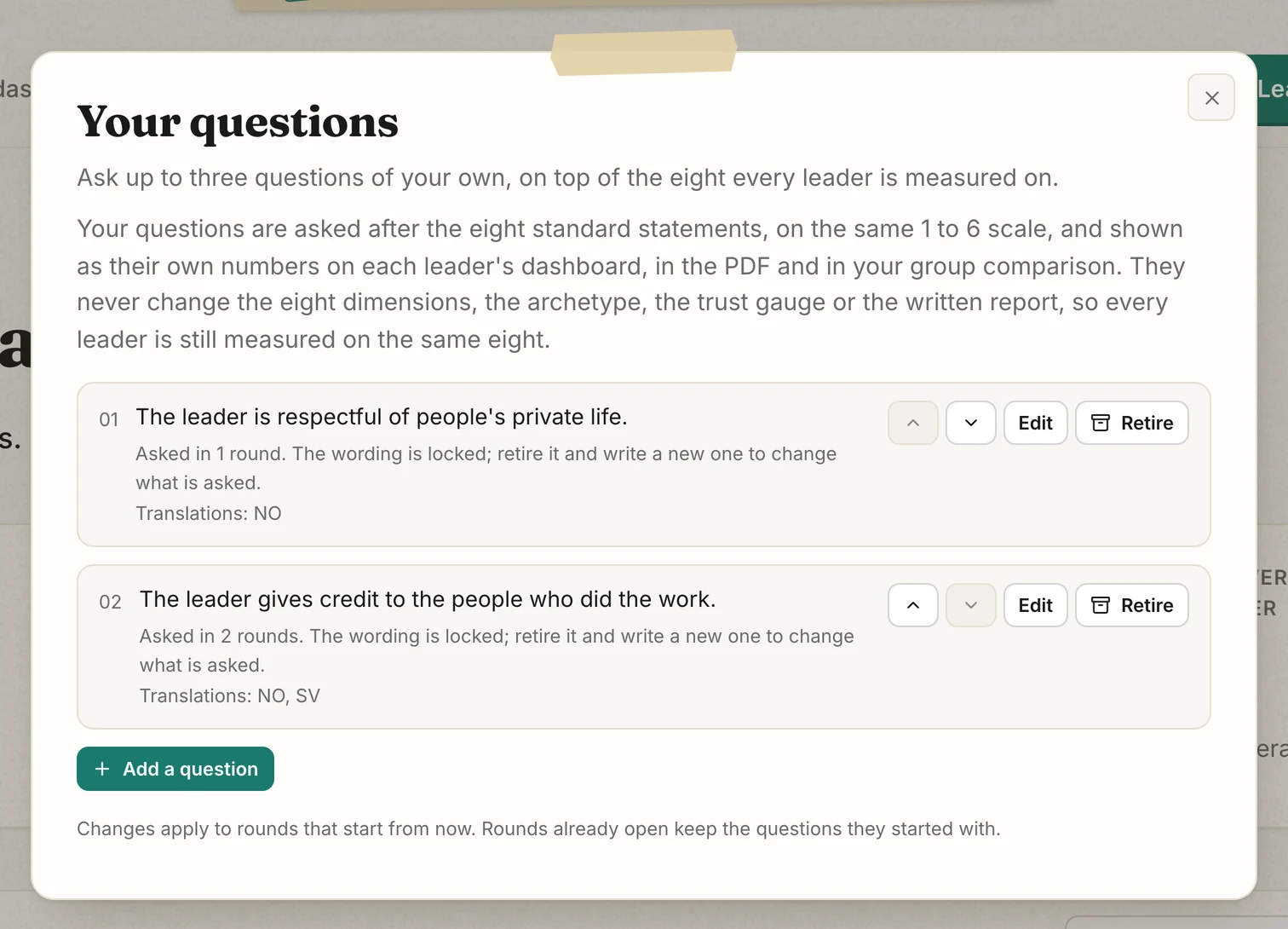
Add up to 3 statements of your own to the 8 every leader is rated on.
Every leader is rated on the same 8 statements. That lets you compare leaders with each other, and each leader with their own next 360. On top of those 8 you can ask up to 3 questions of your own, about the things your organization cares about: a value, a way of working, a habit you are trying to build.
Write a question
- On the admin dashboard, press "Your questions", then "Add a question".
- Write a statement about the leader that people can agree or disagree with, such as "<name> gives credit to the people who did the work." <name> becomes each leader's name. The "Insert the leader's name" button adds it, and the preview shows how it reads.
- Pick the language you wrote it in, and add a translation for each language your teams answer in. Anyone answering in another language sees your wording with a note, such as "Written by your organization in English."
- Press "Save". Every 360 that starts from now on asks it. A 360 already underway keeps its questions, so add yours before you add leaders.
Ask about how the leader leads, never about the person answering. A statement such as "I work in the Berlin office" sorts people into small, recognizable groups. The editor warns you when a statement reads that way.
What the people who answer see
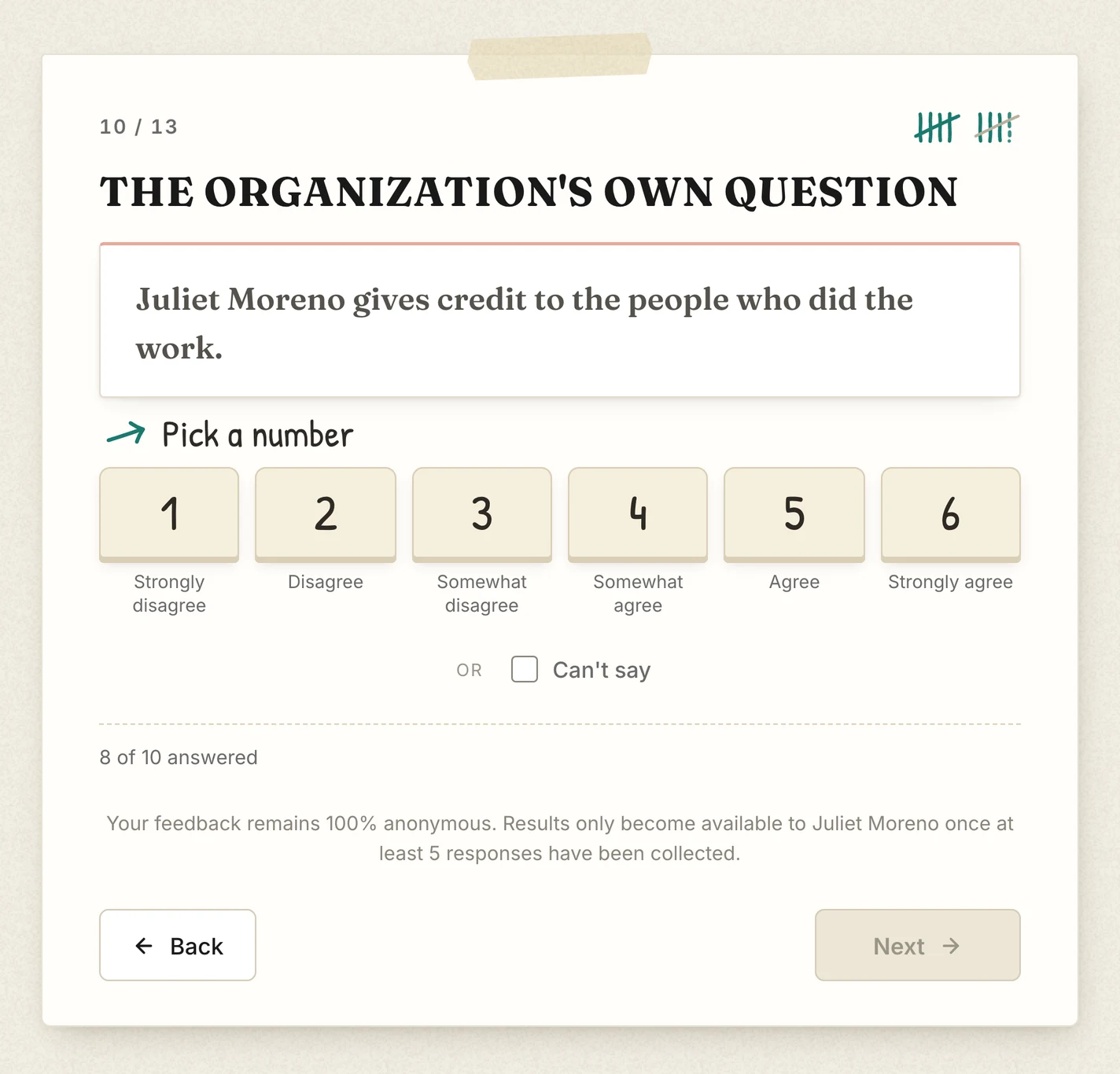
Your questions appear after the 8 standard statements, on the same 1 to 6 scale, with "Can't say" available. The leader answers them in their self-assessment too, so each one gets the leader's own rating and everyone else's.
Where the answers show up
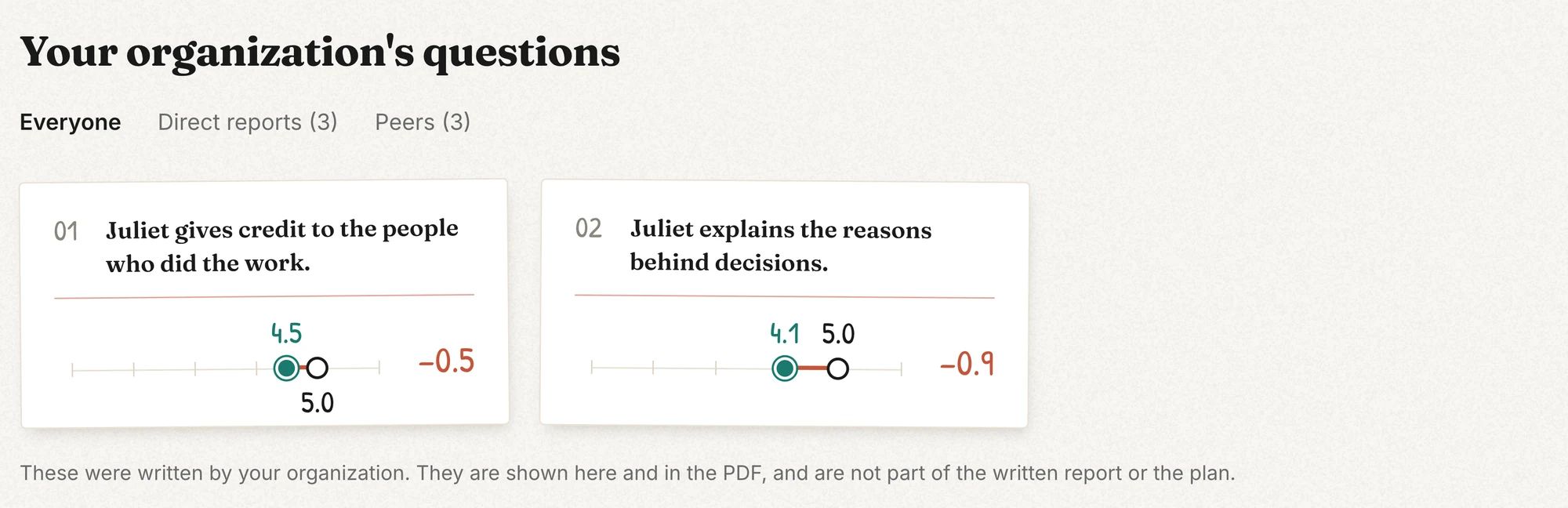
- On the leader's dashboard, in a block of their own under the gap analysis, with the leader's own score next to everyone else's, and the same group buttons.
- In the leader's PDF, on a page of their own.
- In the "Compare groups" view, as a measure you can pick, so you can see how departments or locations answer it.
- Never in the 8 dimensions, the archetype, the trust gauge, the written report or the 90-day plan. Those come from the 8 standard statements only.
Changing a question later
Once a question has been asked, its wording is locked, so that answers from different 360s stay comparable. To ask something different, press "Retire" and write a new one. A retired question is not asked in new 360s, but its earlier answers stay on the dashboards and in "Compare groups". Three is the limit, so retire one to add another.